
How Barbers Accept Deposits & No-Show Fees in 2026
Roali (Roy) Biten
Founder, ROXO Hub · April 4, 2026
Stop losing money to no-shows
ROXO Hub lets you optionally collect deposits and store cards on file — set up your cancellation policy in minutes and let the software enforce it automatically.
Start Your TrialIn this article
- 1.Step 1: Choose Between a Deposit and a Card-on-File Policy
- 2.Step 2: Set Your Deposit Amount and Cancellation Window
- 3.Step 3: Add Your Policy to Your Booking Page
- 4.Step 4: Communicate the Policy to Existing Clients
- 5.Step 5: Actually Charge the Fee When a Client No-Shows
- 6.The right tool makes this easier
How Barbers Accept Deposits & No-Show Fees in 2026
A single no-show on a Friday afternoon costs the average barber $45–$65 in lost chair time — and three per week adds up to $500–$800 a month disappearing before you touch a pair of clippers. Most barbers know the problem exists but feel stuck between enforcing a policy and keeping loyal clients happy. Deposits and no-show fees solve both sides of that equation, and the right booking software collects them automatically. This guide walks through exactly how to set up both — from choosing the right policy to charging the fee when a client ghosts you.
Step 1: Choose Between a Deposit and a Card-on-File Policy
There are two standard ways barbers protect their chairs: collecting a deposit upfront at the time of booking, or storing a card on file that you charge only if a client no-shows or cancels late.
A deposit — typically $10–$25, or 25–50% of the service cost — is charged when the client books and applied toward their final bill. It filters out low-commitment clients immediately; someone who won't pay $15 to hold a slot rarely shows up. A card-on-file policy lets clients book without paying anything upfront, but they agree that their stored card will be charged a cancellation fee if they no-show or cancel within your stated window — commonly 24 or 48 hours.
Many barbers start with card-on-file because it feels less aggressive, then add a deposit requirement for first-time clients or same-day bookings. Either way, the policy only works if your booking software enforces it automatically — not manually, not case-by-case.
Step 2: Set Your Deposit Amount and Cancellation Window
For haircuts priced at $30–$50, a $10–$15 deposit is the standard range. For specialty services like skin fades with designs at $60–$80, a $20–$25 deposit fits better. The amount should be high enough to discourage no-shows but low enough that it doesn't deter new clients who found you online and haven't yet built trust with you.
Your cancellation window is equally important. A 24-hour window is the industry baseline — clients who cancel or reschedule within 24 hours of their appointment forfeit their deposit or are charged the no-show fee. Barbers with high weekend demand sometimes extend this to 48 hours. Whatever you choose, your booking software should enforce it automatically, with no manual approval required from you.
Step 3: Add Your Policy to Your Booking Page
Your deposit or cancellation policy needs to be visible before the client picks a time — not buried in a confirmation email nobody reads. Place it on your booking page, restate it in the confirmation message, and include it again in the appointment reminder.
When configuring your booking software, look for options that require card entry before an appointment is confirmed, display cancellation terms clearly during checkout, and send a confirmation that restates the policy. ROXO Hub's Forms & Waivers feature lets you collect a digital acknowledgment of your cancellation policy at the time of booking — giving you clear documentation if a dispute ever comes up.
Step 4: Communicate the Policy to Existing Clients
New clients see your policy during the booking flow. Your regulars — the ones you've been letting slide without consequence — need a heads-up before the new rules go live. Send a short, matter-of-fact message about a week in advance: something like "Starting [date], all appointments require a card on file. It's only charged for no-shows or late cancellations within 24 hours." Keep it direct, not apologetic.
ROXO Hub's Marketing Tools let you send this message via SMS or email to your entire client list in a single send — no texting regulars one by one. Most established clients take it in stride. They already respect your time; they just need to know the system has changed.
Step 5: Actually Charge the Fee When a Client No-Shows
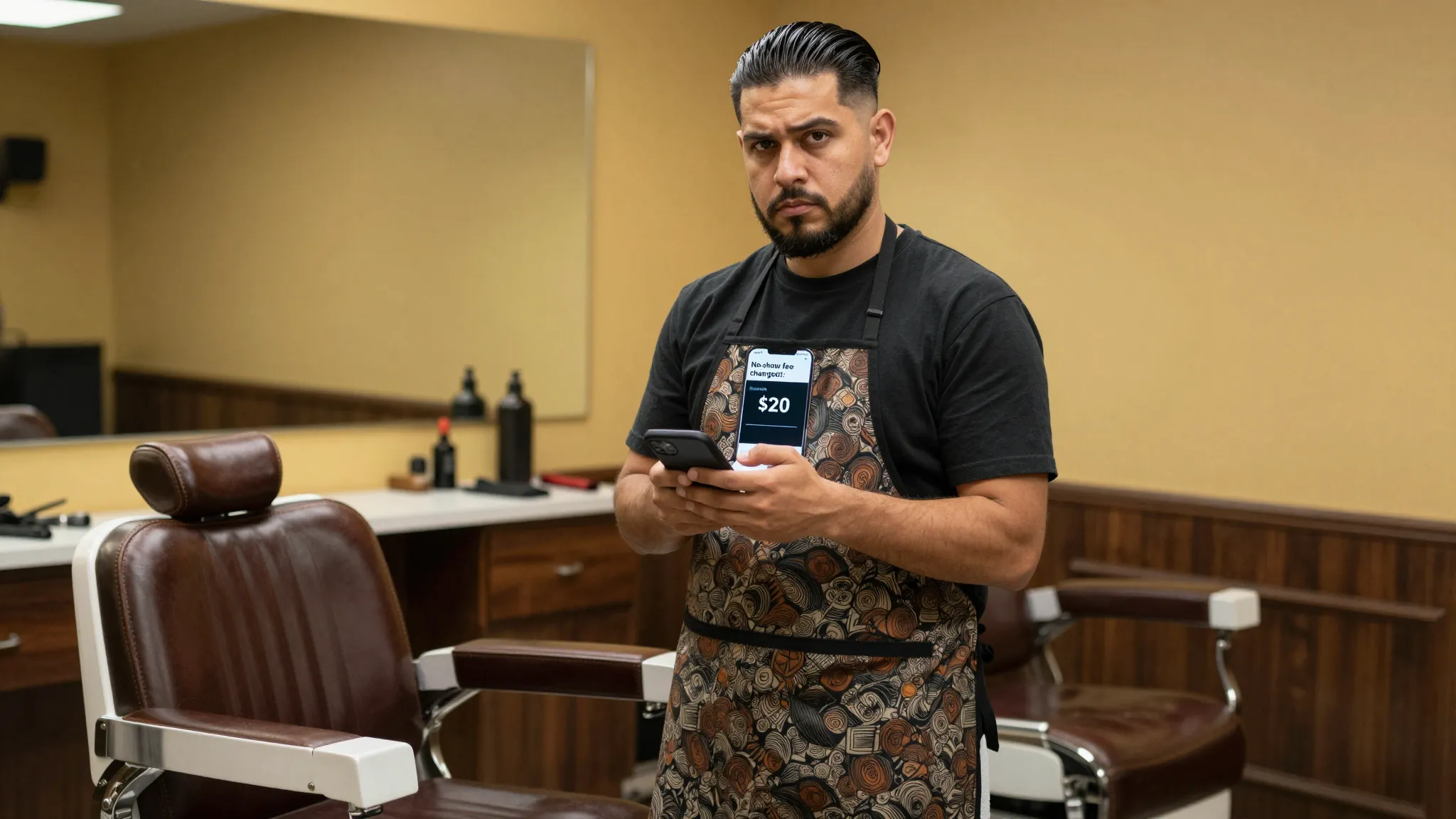
This is the step most barbers skip — and exactly why no-shows keep happening. A policy you never enforce teaches clients the policy is optional. When someone no-shows without canceling, your booking software should let you apply the fee to their stored card in a few taps from your phone, with no phone call, manual invoice, or awkward follow-up text required.
ROXO Hub's No-Show Protection feature lets you charge the stored card directly from the app. The client receives an automatic receipt, and the transaction is logged in their client profile alongside the policy acknowledgment they signed at booking. If they dispute the charge, your documentation is already there and timestamped.
The right tool makes this easier
Running deposits and no-show fees manually — Venmo requests, verbal agreements, one-off invoices — breaks down fast. Clients forget, personal payment apps flag accounts, and you end up spending more time chasing money than cutting hair.
ROXO Hub is built for exactly this workflow. At $39.99/month flat — no per-feature add-ons, no hidden fees beyond standard card processing rates — you get everything needed to protect your chair:
Online Booking with Optional Deposits
If you enable deposit collection, clients pay at the time of booking — the deposit is charged automatically when they confirm.
No-Show Protection
Store a card on file and charge the no-show fee in two taps, right from the ROXO Hub mobile app.
Forms & Waivers
Collect a digital acknowledgment of your cancellation policy at booking — built-in documentation for every appointment.
Auto Reminders
Automated SMS and email reminders go out before every appointment, reducing the no-shows you'd have to charge in the first place.
When a client books through your ROXO Hub page, acknowledges your policy, and then ghosts you — you charge the fee in the app, the receipt goes out automatically, and the entire interaction is documented in their client history. That's the system working the way it should.
Your cancellation policy, enforced automatically
ROXO Hub handles deposit collection and no-show charges directly from your phone — no awkward conversations, no manual invoices, no chasing clients.
Try ROXO HubReady to run your barbers business smarter?
Setup takes 15 minutes. No contracts. Cancel anytime.
Roali (Roy) Biten
Founder, ROXO Hub
Disclaimer: The content in this article is provided for informational purposes only. ROXO Hub strives to publish accurate and helpful information, but we make no guarantees about the completeness, reliability, or accuracy of the content. Information may change over time and may not reflect the most current developments. Always conduct your own independent research and consult qualified professionals before making business decisions. ROXO Hub is not liable for any errors, omissions, or outcomes resulting from reliance on this content. Terms of Use.