
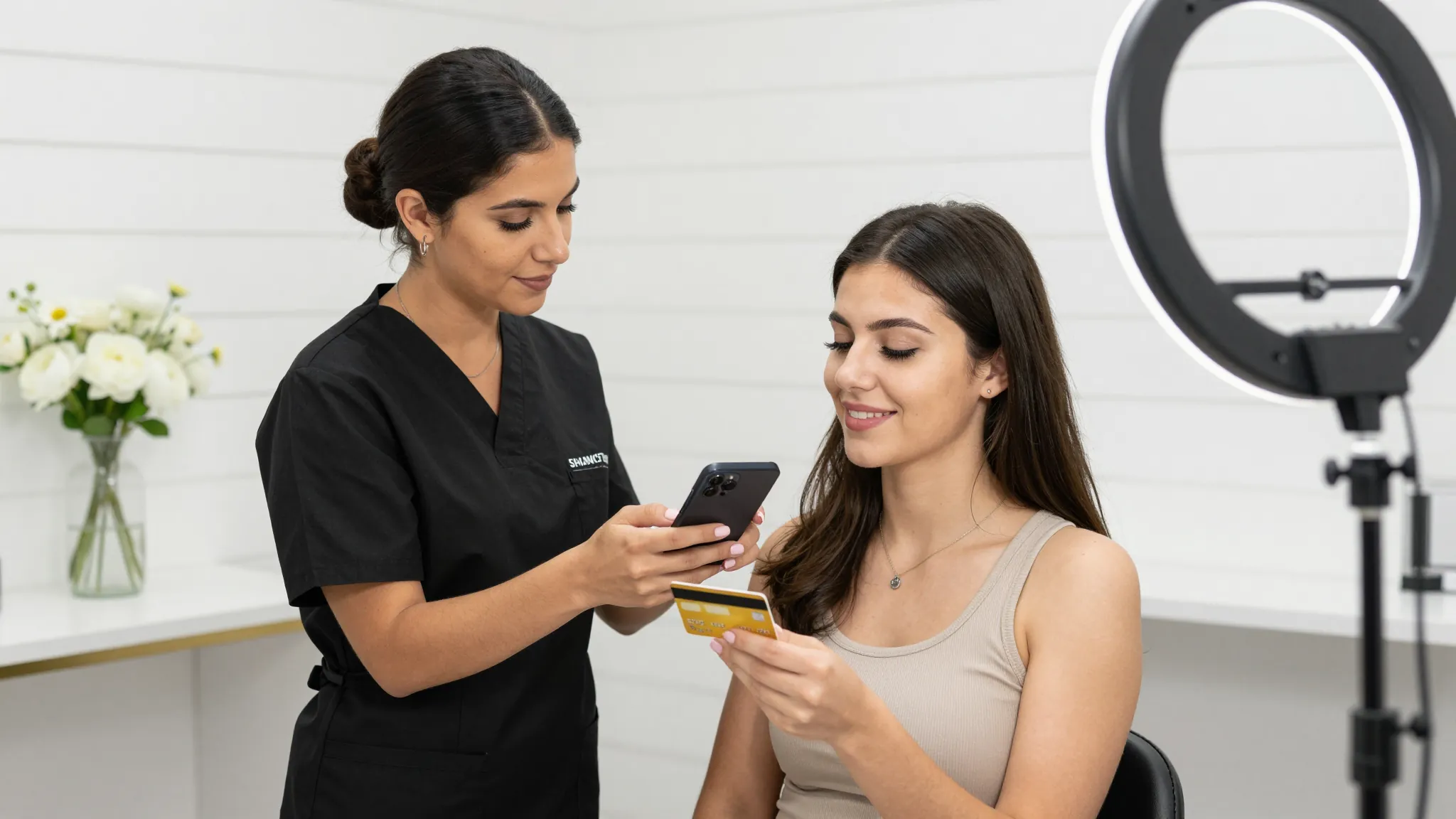
How to Accept Online Payments as a Lash Artist 2026
Roali (Roy) Biten
Founder, ROXO Hub · April 1, 2026
Ready to ditch Venmo?
ROXO Hub gives lash artists tap-to-pay, deposits, card-on-file, and booking in one platform — $39.99/mo flat, no card reader required.
Start Your TrialIn this article
- 1.1. Stop Using Venmo and Cash App for Lash Payments
- 2.2. Choose the Right Payment Method for Your Setup
- 3.3. Set Up Tap-to-Pay on Your Smartphone
- 4.4. Collect Deposits Before Lash Appointments
- 5.5. Store a Card on File for No-Show Protection
- 6.6. Connect Payments Directly to Your Booking System
- 7.The right tool makes this easier
- 8.Frequently Asked Questions
How to Accept Online Payments as a Lash Artist 2026
Most lash artists lose $200–$400 a month to no-shows and late-paying clients — and the problem almost always traces back to informal setups: Venmo requests that go ignored, cash that never arrives, or a "pay me when you get here" policy that clients exploit. Clients who haven't committed any money upfront have no reason to show up. This guide covers six practical steps to set up professional payment processing — whether you work in a studio, rent a suite, or run a mobile lash business.
1. Stop Using Venmo and Cash App for Lash Payments
Venmo and Cash App were built for splitting dinner bills, not running a service business. They offer no invoicing, no deposit collection tied to bookings, no chargeback protection, and no way to store a card on file for no-show enforcement. If a client disputes a Venmo payment, you have no recourse — and there's no paper trail that holds up if you ever need to escalate. Switching to a dedicated payment processor like Square, Stripe, or an all-in-one platform like ROXO Hub gives you real receipts, transaction records, and protection on every payment.
2. Choose the Right Payment Method for Your Setup
The three most practical options for lash artists are card readers, payment links, and tap-to-pay via your smartphone. A Square Reader starts at $49 and a Stripe Reader at $59 — both connect via Bluetooth and process cards in seconds. Payment links (a URL you text or email to a client) are ideal for collecting deposits before an appointment without any hardware. Tap-to-pay uses your phone's NFC chip to accept contactless cards and Apple Pay on the spot — no extra equipment needed, which is a major advantage for mobile lash artists traveling to clients.
3. Set Up Tap-to-Pay on Your Smartphone
Tap-to-pay turns your iPhone or Android into a contactless terminal — clients tap their card, Apple Pay, or Google Pay and the transaction processes instantly. ROXO Hub supports tap-to-pay natively without requiring a card reader purchase, which keeps startup costs down for lash artists just building their client base. Processing fees for tap transactions typically run 2.6–2.9%, with no monthly hardware cost on top of your platform subscription.
4. Collect Deposits Before Lash Appointments
A deposit collected at booking is the most direct way to filter out uncommitted clients before they waste a two-hour slot on your calendar. Most lash artists charge $25–$50 as a deposit on a full set priced at $120–$200, applied toward the total at checkout. ROXO Hub lets you optionally require a deposit when a client self-books online — the deposit amount, the policy window, and whether it's refundable are all configurable, so you set the rules that fit your business and clientele.
5. Store a Card on File for No-Show Protection
Card-on-file means you securely save a client's payment details at the time of booking, so you can charge a cancellation or no-show fee if they don't honor the appointment. This matters most for volume lashes and full sets, where a no-show can mean 90–180 minutes of lost income with zero chance to fill the slot last-minute. ROXO Hub lets you enable card-on-file storage at checkout — clients enter their card when they book, and you decide whether to enforce a charge based on your cancellation policy.
6. Connect Payments Directly to Your Booking System
Running payments through a separate app from your bookings creates double entry, missing records, and blind spots in your revenue tracking. When booking and payments live in the same platform, every transaction is automatically logged against the appointment — you can see revenue by service, by client, or by month without exporting anything. ROXO Hub's Reports & Analytics pull payment data directly from completed bookings, so you always know which services are earning and which are underperforming.
The right tool makes this easier
ROXO Hub was built for solo service businesses — including lash artists in studios, suites, and mobile. At $39.99/month flat, you get online booking, tap-to-pay, optional deposit collection, card-on-file no-show protection, invoicing, auto-reminders, and revenue reporting in one platform. No card reader required to get started, no separate tool for payments, and no per-feature add-ons beyond standard processing fees.
Tap-to-Pay
Accept cards and Apple Pay from your phone — no card reader needed.
Optional Deposits
Require a deposit at booking to remove uncommitted clients from your calendar.
Card on File
Store payment details securely and enforce your cancellation policy.
Reports & Analytics
Track revenue by service and see exactly what's growing.
Frequently Asked Questions
What's the best way to take payments as a lash artist?
The most practical setup for most lash artists combines tap-to-pay (for in-person checkout without hardware), payment links (for deposit collection before appointments), and card-on-file (for no-show protection). Running all three through a single platform like ROXO Hub keeps your records clean and eliminates the need for multiple apps.
Do I need a card reader to accept credit cards for lash services?
No — if your payment platform supports tap-to-pay, your iPhone or Android can process contactless cards and Apple Pay without any hardware. A card reader is still useful for clients who prefer inserting or swiping a physical card, but it's no longer a requirement to get started accepting professional payments.
How do I collect a deposit before a lash appointment?
The easiest method is to enable deposit collection through your online booking system so the client is charged when they confirm the appointment. Platforms like ROXO Hub let you set the deposit amount and refund policy, and the deposit automatically applies toward the service total at checkout.
What payment apps do lash artists actually use?
Common options include Square (widely used, hardware available), Stripe (developer-friendly, strong for payment links), and all-in-one booking platforms like ROXO Hub that bundle payment processing with scheduling, reminders, and client management. Square charges 2.6% + $0.10 per in-person swipe; Stripe charges 2.7% + $0.05 per tap. ROXO Hub's processing rates follow industry-standard tiers depending on card type.
Can I charge a no-show fee as a lash artist?
Yes — and you should. A clear cancellation policy combined with card-on-file storage gives you the ability to charge a flat fee or a percentage of the service price when a client no-shows. Most lash artists charge $25–$75 depending on the service booked. The key is disclosing the policy at booking so there are no surprises.
Is it unprofessional to ask lash clients to pay a deposit?
No — deposits are standard practice in the lash industry, especially for full sets and specialty work like volume or mega-volume. Clients who regularly book lash services expect it. Framing it clearly ("a $30 deposit is required to hold your appointment and goes toward your total") is straightforward and positions you as an established professional, not a hobbyist.
Stop chasing clients for payment
ROXO Hub lets you optionally collect a deposit at booking and store a card on file — so you're protected before the appointment even starts.
Try ROXO HubReady to run your lash artists business smarter?
Setup takes 15 minutes. No contracts. Cancel anytime.
Roali (Roy) Biten
Founder, ROXO Hub
Disclaimer: The content in this article is provided for informational purposes only. ROXO Hub strives to publish accurate and helpful information, but we make no guarantees about the completeness, reliability, or accuracy of the content. Information may change over time and may not reflect the most current developments. Always conduct your own independent research and consult qualified professionals before making business decisions. ROXO Hub is not liable for any errors, omissions, or outcomes resulting from reliance on this content. Terms of Use.