
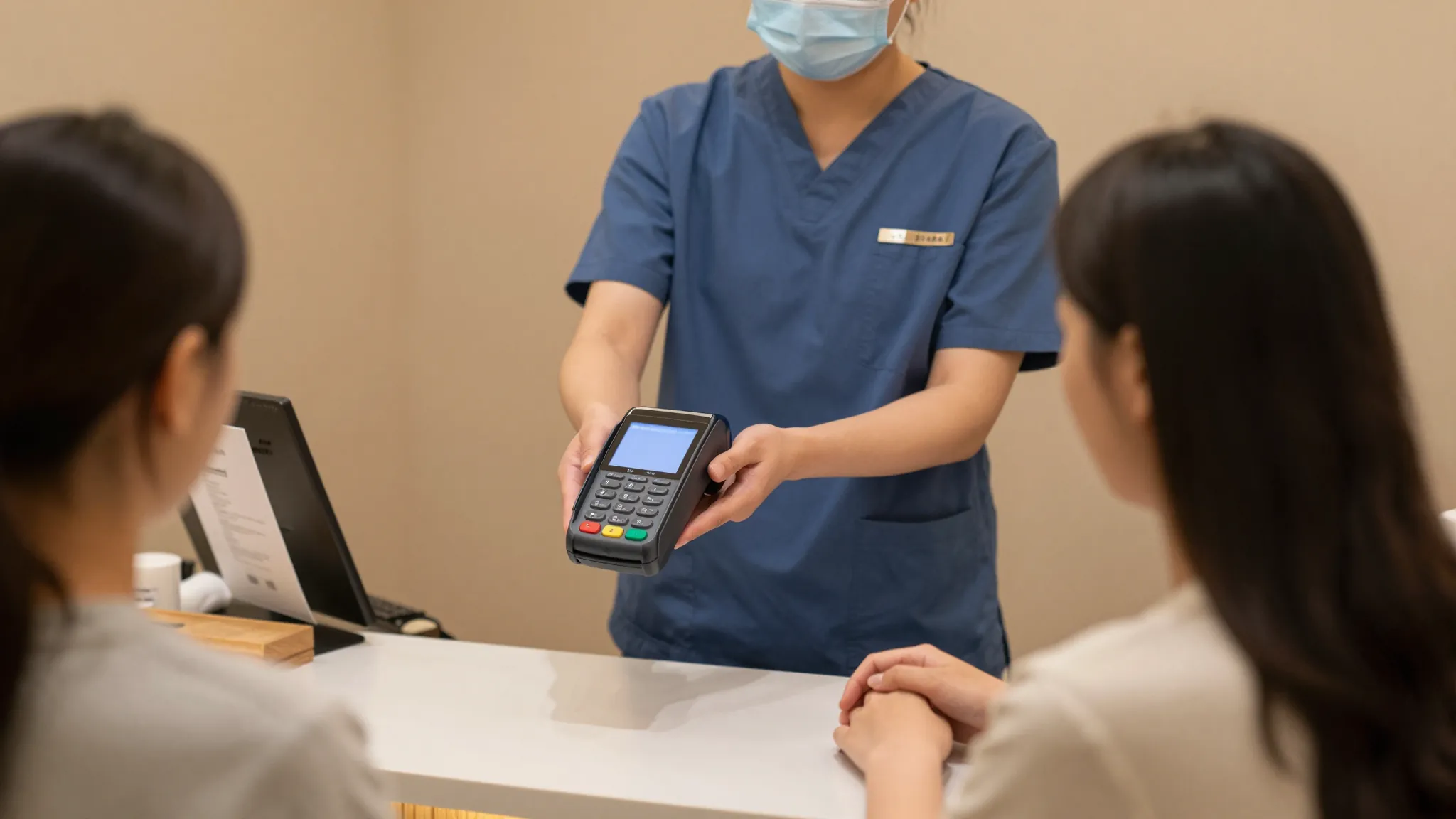
How to Accept Payments as a Massage Therapist
Roali (Roy) Biten
Founder, ROXO Hub · April 21, 2026
Stop chasing payments after every session
ROXO Hub puts tap-to-pay, invoicing, and prepaid packages into one platform — $39.99/mo flat, no hidden fees.
Start Your TrialIn this article
- 1.Step 1: Enable Tap-to-Pay on Your Phone
- 2.Step 2: Decide Whether You Actually Need a Card Reader
- 3.Step 3: Send Digital Invoices for Recurring Clients and Packages
- 4.Step 4: Sell Prepaid Packages to Lock In Monthly Revenue
- 5.Step 5: Protect Your Schedule with Deposits and Card-on-File
- 6.The right tool makes this easier
- 7.Frequently Asked Questions
How to Accept Payments as a Massage Therapist in 2026
Asking a client for payment right after they climb off your table is one of the most uncomfortable moments in a massage practice — and that friction quietly costs you money through skipped tips, delayed invoices, and no-shows from clients who never committed financially. Independent massage therapists using cash-only or manual invoicing routinely carry $500–$2,000 in unpaid balances at any given time. Payment friction also prevents you from selling higher-value prepaid packages that smooth out your monthly income. This guide covers every payment method that works inside a massage practice: tap-to-pay, card readers, digital invoicing, prepaid packages, and deposit protection.
Step 1: Enable Tap-to-Pay on Your Phone
Modern payment platforms let clients tap a credit or debit card — or use Apple Pay or Google Pay — directly against your iPhone or Android. No card reader hardware required, no $300 terminal sitting on your massage table. ROXO Hub's built-in payment processing supports tap-to-pay natively: a client waves their phone or card, the charge is approved in seconds, and the funds land in your account the same day when you enable Instant Payouts.
This matters especially for mobile massage therapists. Carrying a card reader, charger, and portable hotspot is one more bag you don't need. With tap-to-pay on your existing phone, checkout takes under 15 seconds at the end of any session.
Step 2: Decide Whether You Actually Need a Card Reader
If you work at a fixed location — a treatment room, a spa suite, or a dedicated studio — a physical card reader can feel familiar for some clients. Square charges 2.6% + $0.10 per swipe or tap with its free basic reader, or $299 for the Square Terminal. Stripe Reader M2 runs $59 upfront with 2.7% + $0.05 per in-person transaction. Both are serviceable, but both require hardware you need to charge, update, and eventually replace.
ROXO Hub eliminates that step entirely with tap-to-pay on your phone at a competitive processing rate. If your clientele skews older and prefers inserting a physical card, you can still pair a Bluetooth reader — but for most massage practices in 2026, a phone-based payment terminal is the simpler and cheaper default.
Step 3: Send Digital Invoices for Recurring Clients and Packages
Corporate wellness clients, HR benefit programs, and clients paying through health spending accounts (HSA or FSA) often require a formal invoice listing your business name, service date, and a line-item description of the session. A handwritten or printed receipt no longer satisfies these requirements. ROXO Hub's invoicing feature lets you create and send a professional invoice by email or SMS in under two minutes, track whether it has been viewed, and mark it paid once received.
For clients on a recurring monthly plan — such as four 60-minute sessions at $80 each — you can schedule invoices to send automatically on a fixed billing date. This removes the end-of-month scramble to chase payments and gives long-term clients a predictable, professional billing experience they associate with established practices.
Step 4: Sell Prepaid Packages to Lock In Monthly Revenue
A client who buys a 5-session package for $375 upfront is far more likely to rebook consistently than one who pays $80 per visit with no forward commitment. Prepaid packages reduce no-shows because the client has already paid, increase your average transaction size, and create predictable monthly cash flow — a material advantage if your income currently swings $800–$1,500 between slow and busy months.
With ROXO Hub, you can list packages directly on your booking page, collect payment at purchase, and automatically deduct sessions as clients book. Gift cards work the same way: clients pay immediately, you receive the revenue upfront, and the recipient schedules at their convenience. Both features are included in the flat $39.99/month plan with no per-feature add-ons.
Step 5: Protect Your Schedule with Deposits and Card-on-File
A 60-minute no-show costs you $75–$120 in lost revenue plus the opportunity cost of a slot you could have filled with a paying client. The most effective way to reduce no-shows is to build financial commitment into the booking step itself. ROXO Hub lets you optionally require a deposit — for example, $25–$50 — when a client books online. If you prefer not to charge upfront, you can store a card on file for no-show protection: if the client cancels inside your policy window or doesn't show, you can charge the card for the missed session.
You control both policies entirely — whether to enable deposits, what flat amount or percentage to collect, and what your cancellation window is. ROXO Hub's Auto Reminders also send SMS and email confirmations 24–48 hours before each appointment, giving every client the opportunity to reschedule rather than simply vanish.
The right tool makes this easier
You can piece together Venmo for payments, Google Forms for intake waivers, and a notes app to manually track package sessions — but every handoff between tools is a place where clients fall through, revenue leaks, and your unpaid admin time compounds. ROXO Hub is built specifically for service-based practices like massage therapy. It combines tap-to-pay, digital invoicing, prepaid packages, optional deposit collection, gift cards, and automated reminders into one $39.99/month platform — no card reader to buy, no separate invoicing subscription, no per-feature upgrades to unlock.
Your booking page goes live in under 15 minutes. Clients book 24/7 directly from your website — they don't need to download any app. Payments are collected at checkout, funds can hit your account the same day via Instant Payouts, and your calendar updates automatically. Everything a professional massage practice needs to handle payments is already inside ROXO Hub.
Tap-to-Pay
Accept cards and Apple Pay on your phone — no hardware required.
Instant Payouts
Get paid the same day instead of waiting 2–3 business days.
Prepaid Packages
Sell multi-session packages from your booking page and collect full payment upfront.
No-Show Protection
Optionally enable deposits or card-on-file at the time of booking.
Frequently Asked Questions
What is the best way for a massage therapist to accept payments?
Tap-to-pay on your phone is the fastest and most flexible option for most massage therapists in 2026 — no hardware needed, and clients pay with a card, Apple Pay, or Google Pay in under 15 seconds. Pairing tap-to-pay with automated invoicing and prepaid packages inside a single platform like ROXO Hub removes every manual step from your payment workflow.
Do massage therapists need a card reader?
Not anymore. Tap-to-pay technology built into iOS and Android lets your phone act as the payment terminal directly. ROXO Hub supports tap-to-pay natively, so you can accept cards and contactless payments without purchasing or maintaining any physical card reader hardware.
How do I sell massage packages and get paid upfront?
List your packages on your booking page and require payment at checkout. ROXO Hub lets you configure multi-session packages — for example, 5 sessions for $375 — that clients can purchase directly online. Sessions are deducted automatically each time they book, so there is no manual tracking on your end.
Can I accept HSA or FSA cards as a massage therapist?
Yes — if massage therapy is prescribed by a physician or covered under a client's HSA or FSA benefit plan, those cards can be processed as standard debit cards through most payment platforms including ROXO Hub. Always confirm with your client whether their plan administrator requires an itemised invoice, as some HSA programs ask for a detailed receipt before reimbursing.
How do I reduce no-shows in my massage practice?
The two most effective tactics are automated appointment reminders and financial commitment at the point of booking. ROXO Hub sends SMS and email reminders automatically before each appointment, and you can optionally enable deposit collection or card-on-file so clients have a real financial reason to show up or reschedule within your cancellation window.
What payment processing fees should a massage therapist expect?
Standard in-person card processing rates in 2026 run between 2.5% and 3.0% per transaction for most small businesses — Square charges 2.6% + $0.10 per tap or swipe, and Stripe charges 2.7% + $0.05 for in-person transactions. ROXO Hub's processing is built into the platform with no separate monthly gateway fee on top of the $39.99/month flat subscription.
Still billing clients manually?
ROXO Hub automates invoicing, package billing, and payment collection so you can focus on your clients, not your inbox.
Get Started with ROXO HubReady to run your business smarter?
Setup takes 15 minutes. No contracts. Cancel anytime.
Roali (Roy) Biten
Founder, ROXO Hub
Disclaimer: The content in this article is provided for informational purposes only. ROXO Hub strives to publish accurate and helpful information, but we make no guarantees about the completeness, reliability, or accuracy of the content. Information may change over time and may not reflect the most current developments. Always conduct your own independent research and consult qualified professionals before making business decisions. ROXO Hub is not liable for any errors, omissions, or outcomes resulting from reliance on this content. Terms of Use.