
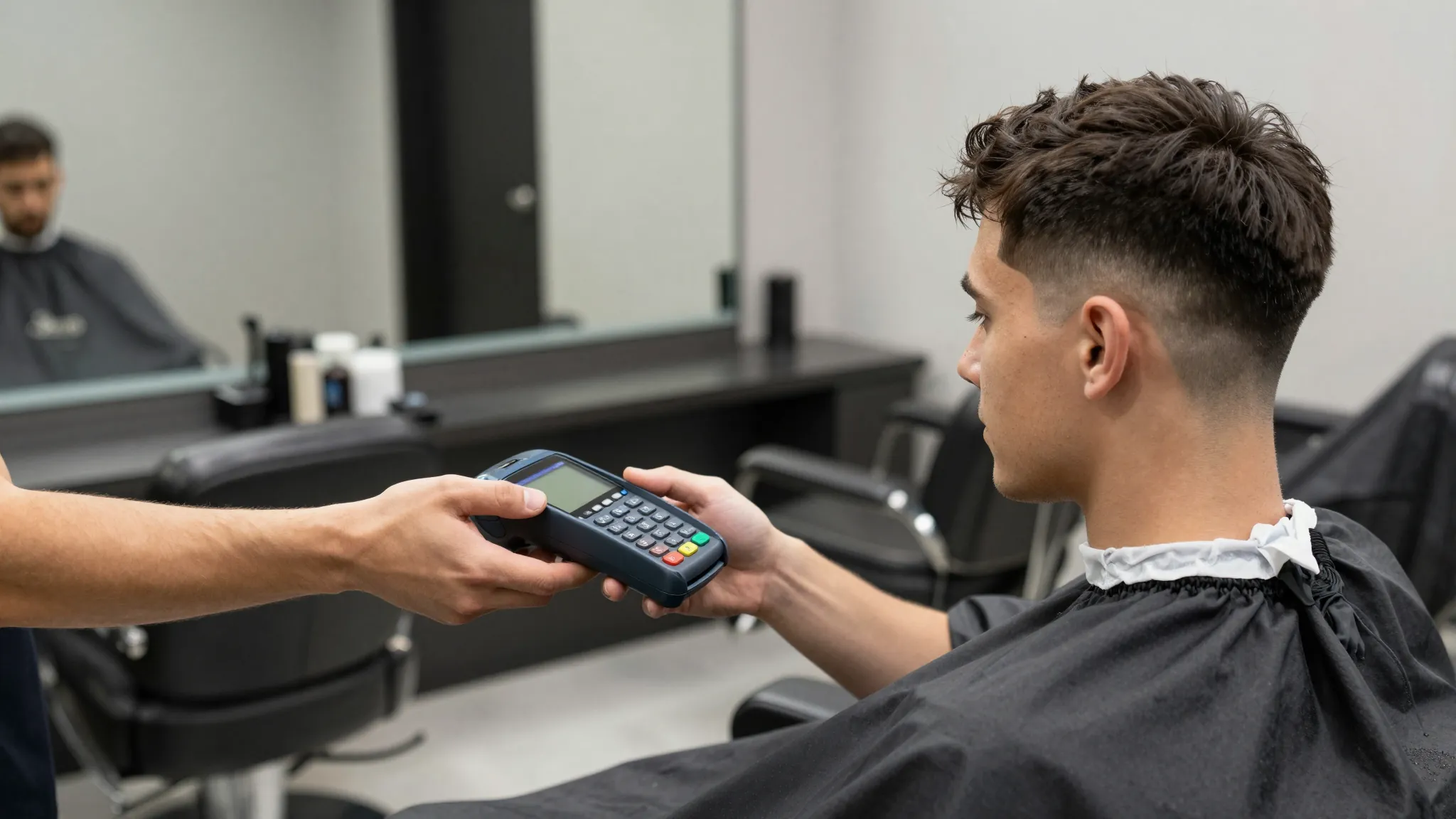
How to Accept Payments at Your Barbershop (Cards, Cash, Tap-to-Pay)
Roali (Roy) Biten
Founder, ROXO Hub · May 12, 2026
One app for booking, payments, and tips
ROXO Hub handles your entire barbershop workflow — online booking, tap-to-pay, tip prompts, and client records — at $39.99/mo flat. No card reader required.
Start Your TrialIn this article
- 1.Step 1: Pick Your Card Processing Method
- 2.Step 2: Enable Tap-to-Pay on Your Phone
- 3.Step 3: Set Up Digital Tips at Checkout
- 4.Step 4: Build a Simple Cash System
- 5.Step 5: Require Deposits for New Clients
- 6.Step 6: Track All Revenue in One Dashboard
- 7.The right tool makes this easier
- 8.Frequently Asked Questions
Barber Payment Processing: Cards, Cash & Tap-to-Pay 2026
Most barbers leave $30–$50 in tip revenue on the table every week because clients who don't have cash have no easy digital option at checkout. Beyond tips, clunky card readers tied to separate apps, manual cash reconciliation at close, and first-time no-shows on packed Saturdays are the payment problems that hit hardest. Modern barber payment processing doesn't require a card reader, a separate tip app, or a bookkeeping spreadsheet. This guide covers every step — from tap-to-pay setup to deposit policies — so you can run your full payment workflow from your phone.
Step 1: Pick Your Card Processing Method
There are three main options for taking card payments: a physical card reader (Square Reader at $49, Clover Flex at $599, SumUp Air at $39), a smartphone-based tap-to-pay solution, or a booking platform with built-in payment processing. Square charges 2.6% + 10¢ per tap or swipe; Stripe charges 2.7% + 5¢ for in-person transactions. Hardware readers work fine for a fixed station but add another device to manage and another monthly export to reconcile. If you're already using a booking platform, check whether it supports payments natively — consolidating into one tool cuts friction at every checkout.
Step 2: Enable Tap-to-Pay on Your Phone
Tap-to-pay (Tap to Pay on iPhone via iOS 16+, or Tap to Pay on Android via select processors) lets clients hold their card, Apple Pay, or Google Pay near your phone to complete the transaction — no card reader, no dongle, no hardware fees. Your phone's NFC chip handles the transaction in under two seconds. ROXO Hub supports tap-to-pay natively, so booking, checkout, and tip prompt all happen in the same app without switching screens or devices. For barbers working booth rent across multiple locations, tap-to-pay is far more practical than carrying a reader between shops.
Step 3: Set Up Digital Tips at Checkout
Tips are a major income stream — a barber doing eight cuts a day who picks up an extra $5 per client on digital transactions earns over $10,000 more per year compared to cash-only tipping. The fix is a checkout screen that presents tip presets (15%, 20%, 25%) before the transaction closes; preset buttons consistently outperform custom-entry fields because they remove the mental effort from the client's decision. ROXO Hub includes tip prompts automatically at every checkout, so you never have to ask awkwardly or watch a client walk out without tipping because they assumed only cash was accepted.
Step 4: Build a Simple Cash System
Cash still represents 20–30% of barbershop revenue at most shops, and ignoring it means your revenue reports will always be incomplete. Keep a dedicated lockbox with a consistent $40–$50 starting float in small bills every morning, and log every cash transaction in your booking app or a running note the same day — not at the end of the week. At close, reconcile: starting float plus logged cash sales should equal cash in the drawer. Any gap tells you exactly where the discrepancy happened instead of leaving you guessing two weeks later at month-end.
Step 5: Require Deposits for New Clients
A first-time client who books a $50 fade and no-shows wastes a 45-minute slot that a loyal regular could have filled. ROXO Hub lets you optionally require a deposit at booking — for example, $10–$15 on a first appointment — which removes uncommitted clients from your calendar without creating friction for regulars who always show. You can also choose to store a card on file instead of charging upfront, so the policy works as a deterrent rather than a barrier to booking. The clients who make it onto your calendar are the ones who have demonstrated they value your time.
Step 6: Track All Revenue in One Dashboard
Running card payments through Square, cash through a separate log, and tips through a third app means you'll never have an accurate weekly revenue number without manual math. ROXO Hub consolidates card payments, tap-to-pay, manually entered cash, digital tips, and invoices into a single revenue dashboard. You can see which services generate the most, identify consistently slow days, and pull 12 months of clean transaction history at tax time — no piecing together exports from multiple platforms.
The right tool makes this easier
Most barbers manage their payment workflow across two or three disconnected apps — one for booking, one for card processing, one for tracking revenue. ROXO Hub is built for service businesses like barbershops and handles every part of this workflow in one place: online booking, tap-to-pay with built-in tip prompts, optional deposit policies, client records, and a live revenue dashboard.
At $39.99/month flat, there are no add-on fees for payment features, no hardware required to get started, and no separate subscription for client management. Clients book directly through your ROXO Hub website and pay — or store a card on file — at the same time. You manage everything from the ROXO Hub mobile app.
Tap-to-Pay
Accept cards and Apple Pay on your phone — no card reader needed.
Digital Tips
Tip prompts appear automatically at every checkout.
Deposit Policies
Optionally require deposits on first bookings to filter uncommitted clients.
Revenue Dashboard
Card, cash, and tips tracked in one clean weekly report.
Frequently Asked Questions
Do barbers need a physical card reader to accept card payments?
No. Tap-to-pay on iOS and Android lets you accept credit cards, Apple Pay, and Google Pay directly through your phone's NFC chip — no hardware required. Processors like Square, Stripe, and ROXO Hub all support this. A physical card reader is optional and only worth buying if you prefer the tactile experience or have specific hardware requirements at your station.
What is the best payment app for barbers?
It depends on whether you want a standalone payment app or one integrated with your booking system. Square and Stripe work well as standalone processors. ROXO Hub is the better option if you want booking, payments, tip prompts, client records, and revenue reporting in a single app at $39.99/month flat — with no per-feature add-ons.
How do barbers collect digital tips?
The most effective method is a checkout screen that displays tip percentage options before the transaction closes. Most modern POS apps and booking platforms support this. ROXO Hub includes automatic tip prompts at every checkout, so the client sees the options without you having to bring it up — and preset buttons (15%, 20%, 25%) consistently outperform blank custom-entry fields.
How do I reduce no-shows at my barbershop?
Requiring a small deposit or storing a card on file at booking is the most direct solution. ROXO Hub lets you optionally enable deposit collection — a $10–$15 hold at booking filters out uncommitted clients without inconveniencing your regulars. Automated appointment reminders also help; ROXO Hub sends those automatically as well.
Can I manage cash and card revenue in the same place?
Yes, if your booking or POS platform allows manual cash entries. ROXO Hub lets you log cash transactions directly in the app, so your weekly revenue dashboard reflects all income — not just card payments. This makes month-end reconciliation and tax-time reporting significantly simpler.
How much does card processing cost for a barber?
Most in-person processors charge between 2.6% and 2.7% plus a small flat fee per transaction. On a $50 haircut with Square, that's roughly $1.40 per swipe. When comparing platforms, factor in the monthly subscription cost alongside per-transaction fees — an all-in-one platform at $39.99/month may cost less overall than stacking separate tools.
Stop losing revenue to no-shows
ROXO Hub lets you optionally require a deposit at booking or store a card on file — protecting your calendar without complicating the client experience.
Try ROXO HubReady to run your barbers business smarter?
Setup takes 15 minutes. No contracts. Cancel anytime.
Roali (Roy) Biten
Founder, ROXO Hub
Disclaimer: The content in this article is provided for informational purposes only. ROXO Hub strives to publish accurate and helpful information, but we make no guarantees about the completeness, reliability, or accuracy of the content. Information may change over time and may not reflect the most current developments. Always conduct your own independent research and consult qualified professionals before making business decisions. ROXO Hub is not liable for any errors, omissions, or outcomes resulting from reliance on this content. Terms of Use.