
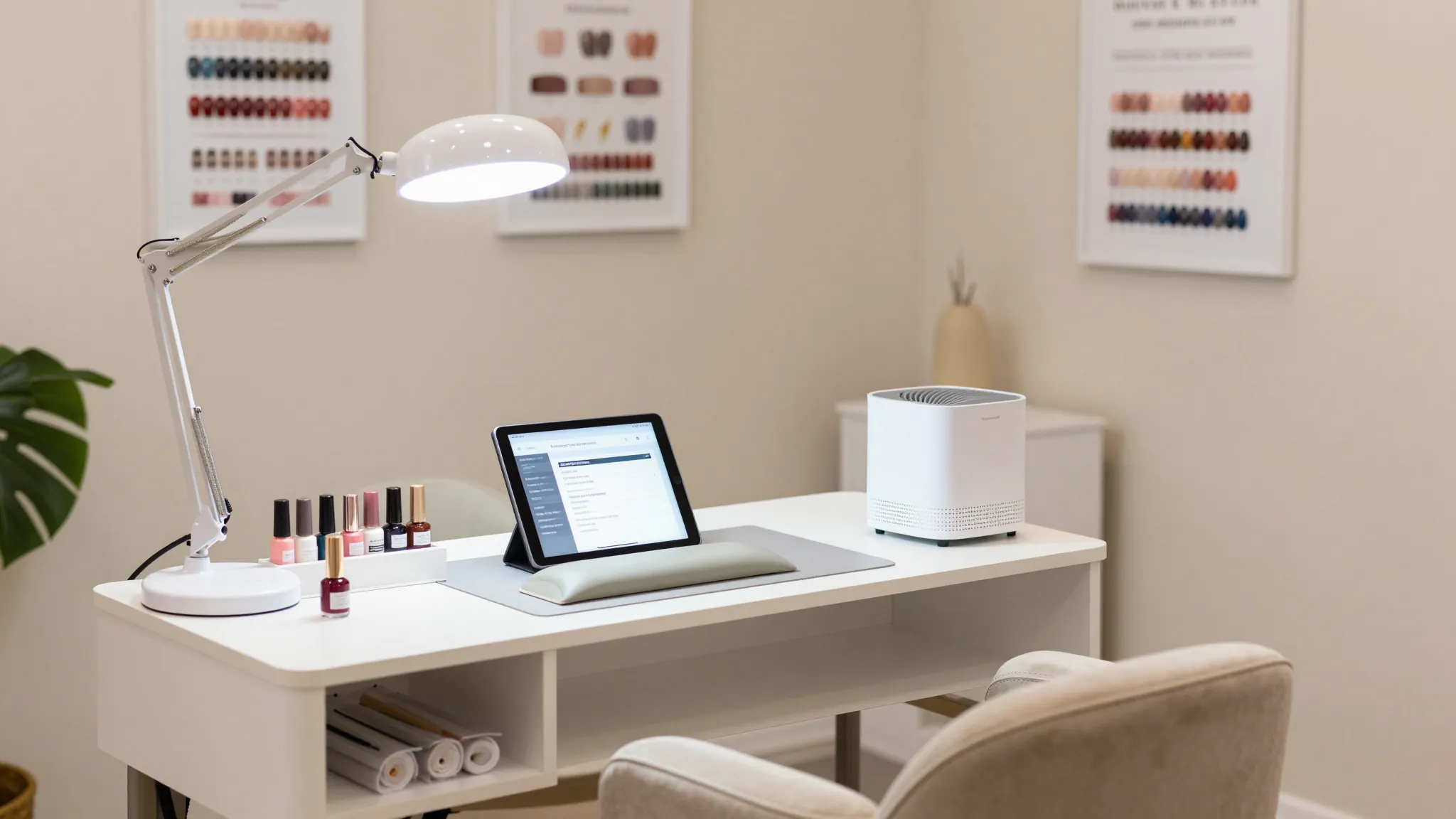
Nail Tech Home Salon Setup Guide: Everything You Need to Start
Roali (Roy) Biten
Founder, ROXO Hub · April 10, 2026
Run Your Home Salon Like a Pro from Day One
ROXO Hub gives you online booking, digital client waivers, auto reminders, and tap-to-pay — everything a home nail salon needs in one $39.99/mo plan.
Start Your TrialIn this article
- 1.Step 1: Check Your State Cosmetology License Requirements
- 2.Step 2: Choose and Prep Your Dedicated Workspace
- 3.Step 3: Install Proper Ventilation and Air Filtration
- 4.Step 4: Set Up Professional-Grade Lighting
- 5.Step 5: Stock Your Essential Equipment and Supplies
- 6.Step 6: Design Your Client Flow and Entry
- 7.Step 7: Set Up Booking, Payments, and Digital Intake Forms
- 8.The right tool makes this easier
- 9.Frequently Asked Questions
How to Set Up a Nail Salon at Home: 2026 Guide
Most nail techs who leave a salon to go independent lose clients in the first month — not because of their skills, but because their booking process, intake forms, and payment setup were not ready before opening day. Setting up a home nail salon means navigating state licensing requirements, ventilation codes, and equipment costs before you take a single appointment. A poorly planned home studio can mean a failed inspection, a fine, or a client who never rebooks after a chaotic first visit. This guide covers every step you need to open a legal, professional home nail salon in 2026 — from state permits to booking software.
Step 1: Check Your State Cosmetology License Requirements
Every state requires a valid cosmetology or nail technician license before you can legally charge for nail services — even from home. Most states also require a separate home occupation permit or home-based business license issued by your city or county. In states like California, Texas, and Florida, operating from home may require a separate salon license in addition to your personal license, plus an inspection by the Board of Cosmetology before your first client walks in.
Contact your state Board of Cosmetology directly and ask two specific questions: Is a home-based nail salon permitted in my city or county zoning district? Does my home studio require a separate salon license and inspection? Some states — Georgia, for example — do not permit home-based nail salons at all. Residential zoning laws can also prohibit regular client traffic at a home address even when the state allows it, so check with your local planning or zoning office before spending money on equipment.
Step 2: Choose and Prep Your Dedicated Workspace
Your workspace needs to be a dedicated, separate area — not the kitchen table. Most state boards require a designated nail station with a hard, non-porous surface, a separate area for sanitation and tool storage, and adequate space for both the nail tech and client to sit safely. A spare bedroom or basement conversion works well; a minimum of 80–100 square feet gives you room for a nail table, client chair, tech stool, storage, and a small sanitation station without feeling cramped.
Flooring matters: tile or vinyl plank is far easier to sanitize than carpet and signals professionalism to inspectors. Remove any soft furnishings that can absorb acetone or monomer fumes. A lockable cabinet for chemicals keeps your workspace compliant. Budget $300–$600 for basic room conversion if you are starting from a spare bedroom: new flooring, a privacy treatment for windows, and wall-mounted storage for supplies.
Step 3: Install Proper Ventilation and Air Filtration
Ventilation is the most overlooked part of a home nail salon setup — and the most dangerous to skip. Acrylic monomer, gel curing fumes, and acetone vapors accumulate quickly in a small enclosed room. OSHA recommends a minimum of 20 air changes per hour in nail salon environments, and many state inspection checklists treat mechanical ventilation as a pass/fail item that stops your opening entirely.
For a home studio, a dual-system approach works best: a source capture ventilator at the nail table — such as a nail dust collector with a built-in fan, available for $80–$150 from brands like Makartt or Kupa — paired with a window exhaust fan or dedicated ventilation duct that moves air directly outside rather than recirculating it. A HEPA air purifier adds a useful second layer but does not replace the exhaust requirement. Budget $200–$500 total for a properly ventilated home nail studio.
Step 4: Set Up Professional-Grade Lighting
Poor lighting costs you accuracy and professionalism in equal measure. Natural daylight is ideal for color matching, but a north-facing window with consistent indirect light is rare in most home setups. A daylight LED desk lamp rated 5000–6500K color temperature placed directly over the nail table is the standard professional solution. Brands like Glamcor and Daylight Company make salon-specific task lamps starting at $80–$200 and are designed to eliminate the shadow cast by your hands while you work.
Pair that with an overhead LED ceiling panel rated at least 4000 lumens to eliminate room-level shadows and give clients an accurate view of their nails during the service. Avoid warm-toned bulbs below 3500K — they distort nail color, making gel shade selection unreliable. Total lighting budget for a properly lit home nail studio: $150–$350.
Step 5: Stock Your Essential Equipment and Supplies
Here is a realistic starting equipment list with current pricing:
- Nail table with ventilation port cutout: $150–$400
- Client chair and tech stool: $100–$300 combined
- UV/LED nail lamp: $50–$150 (Gelish 18G and Makartt Pro are reliable mid-range options)
- Electric nail file (e-file): $80–$200 (Makartt or Medicool for professional use)
- Sanitation station: UV sterilizer plus barbicide jars, $60–$120
- Starter consumables (files, buffers, nail forms, tips, gels, top coats): $300–$600
Total realistic startup equipment cost: $740–$1,770. Most experienced nail techs advise launching with a gel and dip powder menu before adding acrylic, since acrylic requires the most ventilation control and generates the steepest client-complaint risk in a home environment where fume management is harder than in a commercial salon.
Step 6: Design Your Client Flow and Entry
How clients move through your home matters for both professionalism and your own privacy. You do not want clients walking through your living areas, and a clear path from entry to your nail station signals that this is a real business. If at all possible, create a dedicated entrance — a side door or back entrance — so clients feel they are arriving at a studio. A small waiting area, even two chairs positioned near the entrance, sets professional expectations and keeps your personal living space private.
Post your policies visibly near the entrance: your service menu with prices, your cancellation and no-show policy, and your sanitation certificates. A framed print or small chalkboard works well. This removes the awkward money conversation, and clients who see a posted cancellation policy are far less likely to no-show than clients who never knew one existed.
Step 7: Set Up Booking, Payments, and Digital Intake Forms
A home nail salon without an online booking system is invisible to new clients after 9 PM — which is when most people actually book. Without a system, you are taking appointments over DM and text, which leads to double-bookings, forgotten slots, and missed revenue while you sleep. New clients also expect to see your menu, availability, and prices before they reach out, and a booking page delivers all three instantly.
Digital intake forms and waivers are equally essential. A new client waiver for gel, acrylic, or dip services covers you if a client has an allergic reaction or pre-existing nail damage. Collecting this digitally before the appointment saves 10 minutes per client at the table and keeps signed records organized without a filing cabinet. Deposit collection — if you choose to enable it — filters out uncommitted clients before they waste a slot on your calendar.
The right tool makes this easier
ROXO Hub is built for exactly this scenario: a solo nail tech running a professional operation from home, without a receptionist or a separate IT budget. At $39.99/month flat with no per-feature add-ons, it replaces five separate tools that would otherwise cost more individually.
Online Booking
Clients self-book 24/7 directly from your ROXO Hub website. No app download required on their end — they book from any browser.
Digital Waivers and Forms
Send intake forms and consent waivers before the appointment. Clients sign digitally; you keep the record attached to their client profile.
No-Show Protection
You can optionally require a deposit at booking or store a card on file — you decide which services or client types require it.
Tap-to-Pay
Accept cards and Apple Pay directly from your phone. No card reader or extra hardware needed — tap-to-pay works on any compatible iPhone or Android.
Auto Reminders
Automated text reminders go out before each appointment, reducing last-minute cancellations without any manual follow-up from you.
Website Builder
Your booking site goes live in 15 minutes — included in the $39.99/mo plan. No separate website tool or monthly hosting fee needed.
When your home salon opens, the difference between looking like a professional studio and looking like a side hustle often comes down to what the client experiences before they walk in the door. ROXO Hub handles the booking, the forms, the reminders, and the payment — so your attention stays entirely on the nails.
Pricing, features, and product details above are based on publicly available information at the time of writing and may have changed. Always verify directly with each provider before making a purchasing decision. ROXO Hub strives for accuracy but makes no guarantees regarding third-party product information.
Frequently Asked Questions
Do I need a separate license to do nails from home?
Yes — in most states you need both a valid nail technician or cosmetology license and a separate home occupation or home-based business permit from your city or county. Some states additionally require a standalone salon license and a physical inspection of your home studio before you can legally take clients. Contact your state Board of Cosmetology directly for the exact requirements in your location.
How much does it cost to set up a nail salon at home?
A realistic startup budget for a home nail salon runs from $1,500 to $4,000, depending on your state requirements and the services you plan to offer. This covers equipment ($740–$1,770), room preparation ($300–$600), ventilation ($200–$500), and licensing fees ($50–$300). Ongoing monthly costs include consumable supplies and your booking software.
What ventilation is required for a home nail salon?
At minimum you need a source capture ventilator at the nail table — typically a nail dust collector with a built-in fan — and a window exhaust or dedicated duct that moves air outside the room, not just recirculates it. A HEPA air purifier is a useful addition but does not satisfy the exhaust requirement that most state inspection checklists enforce as a pass/fail item.
Can I set up a nail salon in any room in my house?
Most state boards require a dedicated, separated room with a hard non-porous floor, a designated sanitation area, and adequate ventilation — shared living spaces like kitchens and living rooms typically do not meet inspection standards. A spare bedroom or finished basement works well. Soft flooring like carpet must usually be replaced with tile or vinyl before an inspection.
What booking software should I use for a home nail salon?
ROXO Hub is purpose-built for solo nail techs running home studios, combining online booking, digital waivers, auto reminders, tap-to-pay, and a client-facing website in one $39.99/month plan. It eliminates the need to patch together a separate booking tool, waiver service, reminder app, and payment processor — all of which add up to significantly more than $39.99/month when purchased individually.
Do my clients need to download an app to book with me?
Not with ROXO Hub. Clients book directly from your business website through any browser — no app download or account creation required on their end. You manage all bookings, payments, client notes, and reminders from the ROXO Hub app on your own phone.
Stop Taking Bookings Over Text
ROXO Hub lets clients self-book 24/7, collects signed intake forms before they arrive, and processes payment from your phone. No front desk, no separate tools.
Try ROXO HubReady to run your nail business smarter?
Setup takes 15 minutes. No contracts. Cancel anytime.
Roali (Roy) Biten
Founder, ROXO Hub
Disclaimer: The content in this article is provided for informational purposes only. ROXO Hub strives to publish accurate and helpful information, but we make no guarantees about the completeness, reliability, or accuracy of the content. Information may change over time and may not reflect the most current developments. Always conduct your own independent research and consult qualified professionals before making business decisions. ROXO Hub is not liable for any errors, omissions, or outcomes resulting from reliance on this content. Terms of Use.